
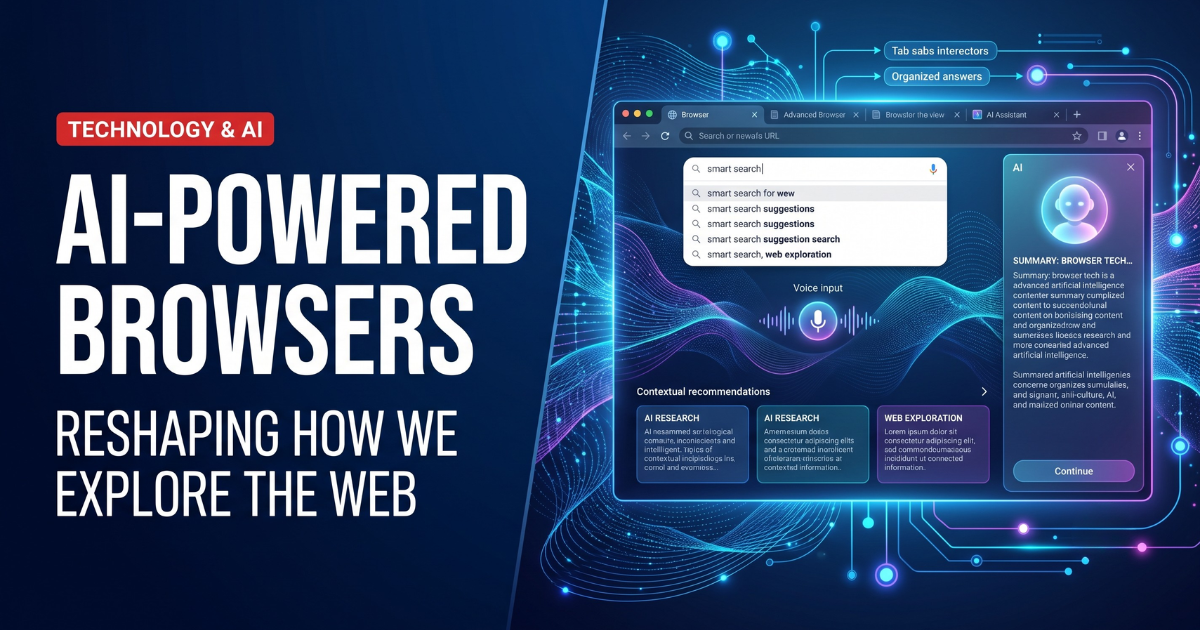
The traditional web browser is undergoing its biggest transformation since tabs, extensions and mobile browsing became standard features.
For years, browsers such as Google Chrome, Microsoft Edge, Safari and Firefox primarily helped people visit websites, conduct searches and run web applications. Artificial intelligence is now changing that familiar experience.
An AI browser can summarize long articles, compare information across several tabs, answer questions about the page currently open and help users write emails or complete online forms. More advanced agentic browsers can also navigate websites, research products, organize information and perform multistep tasks on a user’s behalf.
Google is integrating Gemini more deeply into Chrome. Microsoft has expanded Copilot features in Edge. Perplexity has developed Comet, The Browser Company continues building Dia, Opera is experimenting with Neon, and Brave is adding privacy-focused AI browsing through Leo.
Together, these products are shifting the browser from a passive window into the internet to an intelligent assistant that can interpret and act on online information.
The benefits could be significant. Browsing may become faster, more conversational and less dependent on dozens of open tabs. However, the transformation also creates serious questions about privacy, security, publisher traffic, source accuracy and how much control people should give an AI system.
What Is an AI Browser?
An AI browser is a web browser that uses artificial intelligence to help users understand content, find information or complete online tasks.
The simplest AI-powered browsers include assistants that can:
- Summarize the current webpage
- Explain difficult text
- Translate content
- Draft or rewrite text
- Answer questions about an article
- Compare information from multiple tabs
- Find details inside long documents
More advanced products are often described as agentic browsers.
An agentic browser does not only answer questions. It can take actions based on natural-language instructions.
For example, a user might ask an agentic browser to:
- Compare flights for a specific weekend
- Find products meeting a budget
- Complete an online form
- Organize research from several websites
- Add items to a shopping cart
- Draft an email using information from open tabs
- Schedule a meeting
- Extract information into a table
The difference is similar to the difference between an adviser and an assistant. A basic AI browser provides information, while an agentic browser may complete some of the work.
Why AI Browsers Are Growing
Several developments have made the current shift possible.
More Capable AI Models
Modern language models can interpret text, images, documents and webpages. They can also maintain longer conversations and work with larger amounts of information.
This allows an assistant to understand not only a search query but also the surrounding browsing session.
Web-Based Work
Many everyday activities now happen inside browsers, including email, banking, research, shopping, project management, education and document editing.
The browser is therefore a logical place for an AI assistant. It can access the applications and information people already use without requiring a separate workflow.
Frustration With Traditional Search
Traditional search engines typically provide lists of links. Users must open several pages, compare their contents and decide which source answers the question.
An AI-powered browser can collect information from several sources and present a direct summary while still allowing the user to inspect the original pages.
Growing Interest in AI Agents
Technology companies increasingly want AI systems to complete tasks rather than only generate text.
The browser gives an AI agent access to websites, forms, online services and applications. This makes it one of the most practical environments for consumer AI agents.
How AI Browsers Change Web Search
Traditional search usually begins with keywords.
A user enters a phrase such as “best laptop for college,” receives several links and opens the results one at a time.
An AI browser allows a more detailed request:
Find a lightweight college laptop under $900 with at least 16GB of RAM, strong battery life and good repair support. Compare the best three options.
The browser may then search multiple websites, read product specifications, summarize reviews and organize the results into a comparison.
This changes search in several important ways.
Search Becomes Conversational
Users can describe a complete goal instead of reducing it to a few keywords.
They can also ask follow-up questions without starting the search again.
Answers Become Personalized
An AI browser may use information from the current session, previous conversations or connected services to provide more relevant answers.
A travel search could consider the user’s calendar. A shopping request could use a preferred price range. A research assistant could remember the topic of an ongoing project.
Personalization can be useful, but it also increases the amount of personal data the browser may need to process.
The Browser Becomes an Interpreter
Users may no longer see every original webpage before receiving an answer.
Instead, the browser selects sources, interprets their content and creates a summary. This places the AI system between the publisher and the reader.
A 2026 research paper examined 41,331 summaries generated from 13,777 news articles by Chrome with Gemini, Microsoft Edge with Copilot and Perplexity Comet. The researchers found that the summaries were broadly accurate and generally reduced partisan language, anger and fear while improving clarity. However, the study also described AI browsers as a new class of editorial intermediaries that can systematically change how news is presented.
Leading AI Browsers in 2026
The AI browser market includes two main groups.
Some companies are adding AI features to established browsers. Others are designing AI-first browsers in which the assistant is central to the entire experience.
Google Chrome With Gemini
Google is integrating Gemini into Chrome instead of asking users to move to an entirely new browser.
Gemini in Chrome can summarize content, compare information from multiple tabs and answer questions without requiring users to leave the webpage they are viewing.
Its integration with Google services gives it an important advantage. Google says Gemini in Chrome can help users schedule meetings through Calendar, view locations in Maps, draft emails in Gmail and ask questions about YouTube videos from the browser.
Google is also introducing more agentic capabilities through Auto Browse. These features can perform actions such as completing forms with information from a PDF and assisting with multistep online tasks.
Chrome’s main strength is distribution. Existing users can receive AI features without changing their browser, importing bookmarks or learning a completely new interface.
Its challenge is trust. Deeper integration with browsing history, Gmail, Calendar and other services may make the assistant more useful, but it also requires clear privacy controls and strong protection against malicious webpages.
Microsoft Edge With Copilot
Microsoft has used Edge as an important distribution point for Copilot.
The company originally introduced Copilot Mode as a unified AI browsing experience capable of understanding webpages and helping users compare information across tabs. Microsoft later retired the single Copilot Mode toggle and began offering more granular AI controls.
As of May 2026, Copilot Actions had evolved into Browse with Copilot, available on Edge desktop for eligible Microsoft 365 Premium subscribers in the United States. Microsoft says the change gives users and organizations more control over which AI features are enabled.
Edge remains particularly relevant for businesses already using Microsoft 365, Windows, Outlook and Teams.
Its enterprise opportunity is significant because an AI browser can connect web research with workplace documents, email and business applications. However, organizations will need controls governing which pages, files and accounts Copilot is allowed to access.
Perplexity Comet
Comet is an AI-first browser developed by Perplexity.
It is built on Chromium, which means its interface and compatibility are familiar to many Chrome users. It supports standard features such as bookmarks, translation and most Chrome extensions while placing Perplexity’s assistant directly inside the browsing experience.
Comet’s assistant can work alongside the main browser window, answer questions about pages and execute tasks without forcing users to switch repeatedly between a browser and a separate chatbot.
Perplexity has also introduced reusable Shortcuts that function like small AI agents. Users can create repeatable prompts for research, extraction and common workflows. More advanced features can conduct parallel research, automate browser actions and synthesize information into one result.
Comet represents a strong example of the AI-first approach: the assistant is not an optional sidebar added to an old design. It is part of how the browser expects people to navigate and use the web.
Dia Browser
Dia is the AI-first successor to The Browser Company’s Arc project.
It is designed to understand the pages and tabs a user is working with, answer contextual questions and produce content using information from the current browsing session.
Dia also includes memory, proactive suggestions, tab-management tools and synchronized browsing data. The browser presents itself as a workspace that can help users move projects forward rather than simply display websites.
The company says synced browser data is protected with end-to-end encryption. When a user submits an AI request involving a webpage, relevant page content may be sent through Dia’s servers to third-party model providers such as Anthropic, OpenAI or Google.
This illustrates an important reality of AI browsers: privacy depends not only on the browser company but also on the outside models and cloud services involved in processing requests.
Opera Neon
Opera Neon is designed as an agentic browser capable of performing online tasks.
Opera says Neon can understand a textual representation of websites and interact with pages on the user’s behalf. Its agents can browse, plan trips, assist with purchases and create web applications.
Opera has continued expanding Neon with additional AI models, an intelligent mode and Model Context Protocol connectivity. Its MCP Connector allows external AI clients to access browser context and perform actions through Neon.
These capabilities show how the browser may become a control layer connecting AI models with online services.
They also raise security questions. Allowing an external agent to operate a browser is powerful, but it requires strict limits on permissions, confirmation and access to sensitive accounts.
Brave Leo
Brave takes a more privacy-focused approach.
Leo is an AI assistant built directly into the Brave browser. It can summarize pages, answer questions and assist with content while operating alongside Brave’s existing tracker and advertisement protections.
Brave has also made agentic browsing available for early testing across its release channels. The company says users continue receiving Brave’s tracker-blocking and other privacy protections while using the feature.
Brave’s position may appeal to users who want AI assistance but are uncomfortable with extensive cloud-based personalization.
However, privacy-focused AI still requires careful evaluation. Users should check which models are being used, which page content is transmitted and whether conversations are stored.
What Happened to OpenAI’s Atlas Browser?
OpenAI launched Atlas as a dedicated browser centered on ChatGPT and agentic browsing.
In July 2026, OpenAI announced that Atlas would be discontinued as a standalone product. Users were advised to export their bookmarks before August 9, 2026. OpenAI said it was moving lessons and browser-based agentic capabilities from Atlas into supported ChatGPT experiences rather than abandoning browser automation entirely.
The decision shows how quickly the AI browser market is changing.
A company does not necessarily need to own a complete browser to influence web browsing. OpenAI can distribute AI browsing features through its desktop application, browser extensions or integrations with established browsers.
Atlas also demonstrates the difficulty of convincing users to change their primary browser. Even a well-known AI company must compete with existing bookmarks, extensions, passwords, habits and operating-system defaults.
How AI Browsers Improve Everyday Tasks
The most useful AI browser features are often not dramatic. They remove small, repetitive steps from everyday work.
Faster Research
An AI browser can read several pages, identify common themes and create an organized summary.
Users should still inspect important sources, especially for medical, legal, financial or academic research.
Easier Comparison
Instead of switching repeatedly between product pages, hotel listings or service plans, users can ask the browser to create one comparison.
Better Understanding
AI can explain technical language, define unfamiliar terms or rewrite a difficult paragraph in simpler language.
Less Tab Overload
Browsers can group tabs, summarize an entire browsing session and help users return to information they viewed earlier.
Writing Assistance
An AI assistant can draft emails, create notes or produce a summary using information from the current webpage.
Web Automation
Agentic browsers can perform repetitive actions such as extracting information, filling fields or navigating a series of pages.
These capabilities could be particularly valuable for students, researchers, marketers, business professionals and users with accessibility needs.
The Difference Between AI Assistance and AI Agency
Not every AI feature carries the same risk.
An assistant that summarizes a webpage has relatively limited power. It reads information and generates text.
An agent that can access email, use saved passwords, make purchases or submit forms has significantly greater authority.
This creates three broad levels of AI browsing:
Read
The AI can view and summarize information.
Recommend
The AI can suggest what the user should do but cannot take the action independently.
Act
The AI can click buttons, complete forms, send messages or make purchases.
Users should demand stronger security and confirmation requirements as the AI moves from reading to acting.
A browser that can make a purchase should not receive the same permission as one that only summarizes an article.
AI Browser Privacy Concerns
AI browsers may need access to unusually sensitive information.
This can include:
- Browsing history
- Open tabs
- Page contents
- Search queries
- Emails
- Calendar events
- Saved addresses
- Personal documents
- Shopping activity
- Account information
The assistant may also use long-term memory to personalize future responses.
Before enabling these features, users should understand:
- Which information leaves the device
- Which AI model processes the request
- How long information is stored
- Whether data is used to improve models
- Whether memory can be disabled
- Whether individual websites can be excluded
- Whether sensitive actions require confirmation
- How stored information can be deleted
Convenience should not be confused with consent. A feature may be useful without needing permanent access to every part of a user’s online life.
The Security Problem With Agentic Browsers
Security is one of the most serious challenges facing AI browsing.
Traditional browsers have spent decades developing protections that separate websites and prevent one page from accessing data belonging to another.
Agentic browsers create a new problem because the AI assistant may be able to read several pages and act across different websites.
Prompt Injection
A malicious website can hide instructions designed for the AI rather than the human visitor.
For example, hidden content might tell the agent to ignore the user’s request, open another account or reveal information from a different tab.
Researchers call this indirect prompt injection because the malicious command enters through external content instead of being typed directly by the user.
Cross-Site Data Access
A 2026 study found that existing agentic browsers could frequently violate traditional same-origin security boundaries. The researchers warned that an AI agent can become an automated channel through which information moves between unrelated websites.
Traditional Web Attacks Become More Powerful
Another 2026 study developed a taxonomy of 20 attacks against agentic browsers and implemented 18 of them. Researchers found that familiar web threats could reappear in amplified forms when an AI agent interprets untrusted content and takes actions for the user.
Recent reporting based on academic security work concluded that several AI browsers were not yet ready for unrestricted public use because their most powerful capabilities could weaken established browser protections.
This does not mean every AI browser is unsafe. It means users should be especially careful about giving autonomous agents access to banking, business accounts, private email or saved payment information.
How to Use an AI Browser More Safely
Users can reduce risk by following several practical rules.
Start With Read-Only Features
Use summarization, explanation and comparison tools before enabling autonomous actions.
Require Confirmation
The browser should ask for approval before sending a message, submitting a form, downloading a file or making a purchase.
Avoid Sensitive Accounts
Do not test experimental agentic features while signed into banking, healthcare or confidential company systems.
Review Privacy Settings
Disable unnecessary memory, personalization and content-sharing options.
Check Sources
Open the original sources behind important AI-generated claims.
Separate Browsing Profiles
Consider using a dedicated profile for AI-assisted browsing instead of giving an experimental browser access to every saved password and personal account.
Keep the Browser Updated
AI browsers still depend on traditional browser engines and must receive regular security patches.
How AI Browsers Could Affect Websites and Publishers
AI browsers may change how people interact with online content.
If the browser summarizes an article directly, some users may not visit the original website or read the complete page. That could reduce referral traffic, advertising revenue and subscription opportunities for publishers.
The browser also controls which sources appear in the summary and how prominently they are credited.
This creates several unresolved questions:
- Should publishers be able to prevent AI browser summarization?
- How should sources be credited?
- Should browsers pay for premium content they summarize?
- How can users distinguish reporting from AI interpretation?
- Will smaller websites remain visible?
- Could one browser’s AI systematically favor particular sources?
Publishers may respond by improving structured data, strengthening brand recognition, creating content that offers value beyond a summary and optimizing for both search engines and AI-generated answers.
SEO will increasingly involve not only ranking in a list of links but also becoming a trusted source selected by AI systems.
Will AI Browsers Replace Google Search?
AI browsers may reduce some traditional searches, but they are unlikely to eliminate search engines immediately.
Browsers still need systems that can discover, index and rank the web. Many AI answers depend on search engines or retrieval technologies operating behind the scenes.
The visible experience may change.
Instead of seeing ten blue links, users may receive:
- A direct answer
- A source summary
- A comparison
- A recommended action
- A completed task
Search may therefore become less visible while remaining essential underneath the AI interface.
Google is attempting to protect its position by combining Chrome, Gemini and Google Search. Perplexity is challenging that model by combining its answer engine with Comet. Microsoft is connecting Bing, Copilot and Edge.
The competition is not only over which browser people use. It is also over which company decides how online information is selected, summarized and acted upon.
How to Choose the Best AI Browser
The best AI browser depends on what the user expects it to do.
Choose based on:
Existing Ecosystem
Chrome may suit people heavily invested in Gmail, Calendar and other Google services. Edge may be more useful inside Microsoft 365 environments.
Automation Needs
Comet and Opera Neon may appeal to users interested in research and agentic task completion.
Workflow and Design
Dia may suit users who want an AI-first workspace built around tabs, memory and projects.
Privacy Priorities
Brave Leo may be attractive to users who place greater emphasis on tracker blocking and privacy-focused AI.
Platform Availability
Some browsers and features remain limited by operating system, country, subscription or testing status.
Security Controls
Users should prefer browsers that clearly display what the AI is doing, restrict permissions and require approval before sensitive actions.
Frequently Asked Questions
What is an AI browser?
An AI browser is a web browser with built-in artificial intelligence that can summarize pages, answer questions, compare information and sometimes complete online tasks.
What is an agentic browser?
An agentic browser contains an AI agent capable of taking actions, such as navigating websites, filling forms, organizing research or completing multistep workflows.
What are the best AI browsers in 2026?
Major options include Chrome with Gemini, Microsoft Edge with Copilot, Perplexity Comet, Dia, Opera Neon and Brave with Leo. The best choice depends on platform support, privacy preferences and required automation features.
Is Perplexity Comet a real browser?
Yes. Comet is a Chromium-based browser developed by Perplexity. It includes standard browsing features and an integrated AI assistant.
Is ChatGPT Atlas still available?
OpenAI is discontinuing Atlas as a standalone browser on August 9, 2026. The company is moving parts of its browser-agent strategy into other ChatGPT experiences.
Are AI browsers safe?
They can be used safely for many basic tasks, but agentic features introduce risks involving prompt injection, excessive permissions and cross-site data access. Users should avoid giving experimental agents unrestricted control over sensitive accounts.
Can an AI browser make purchases?
Some agentic browsers can navigate stores, add products to carts and assist with checkout. Users should require confirmation before any payment or final order submission.
Will AI browsers replace Chrome?
Chrome itself is becoming an AI browser through Gemini integration. New products may challenge its market position, but changing browser habits and ecosystems is difficult.
Do AI browsers store browsing data?
Policies differ between products. Some features process page content through cloud-based models, while others offer local or privacy-focused options. Users should review memory, history, training and content-sharing settings before use.
Final Thoughts
The rise of the AI browser is changing the basic purpose of web browsing.
A browser is no longer limited to displaying websites. It can understand content, compare sources, organize information and—in some cases—take action on the user’s behalf.
Google, Microsoft, Perplexity, The Browser Company, Opera and Brave are pursuing different versions of this future. Some are adding AI to familiar browsers, while others are rebuilding the browsing experience around assistants and agents.
The potential benefits are considerable. Research can become faster, complicated information can become easier to understand and repetitive web tasks can require fewer clicks.
The risks are equally important. AI browsers can see sensitive information, interpret untrusted webpages and operate across services that were never designed for autonomous agents. Security research shows that established protections may not be sufficient when an AI assistant can move information and take actions between websites.
The future of web browsing will therefore depend on more than the intelligence of the assistant. Successful AI browsers will need transparent sources, meaningful privacy controls, limited permissions and reliable confirmation before important actions.
AI-powered browsers are already reshaping how people explore the web. The remaining question is whether they can become useful enough to change daily habits while remaining secure enough to earn users’ trust.